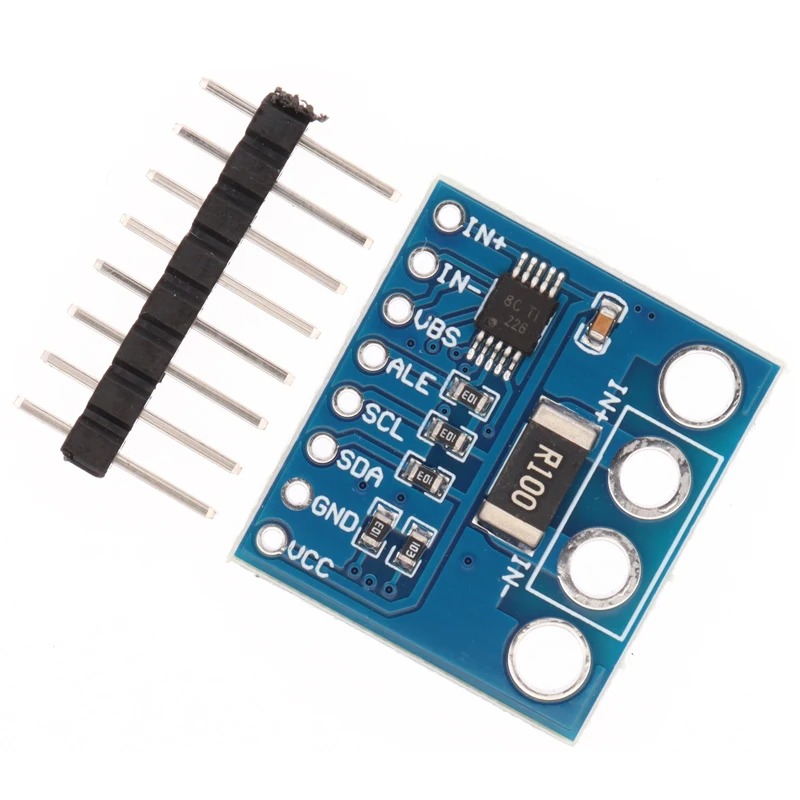
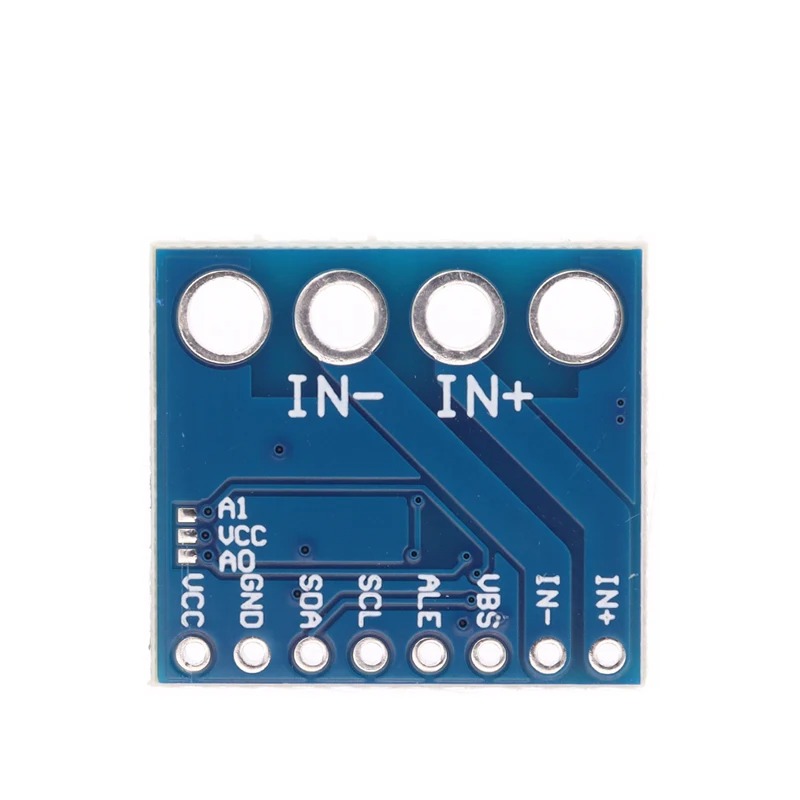
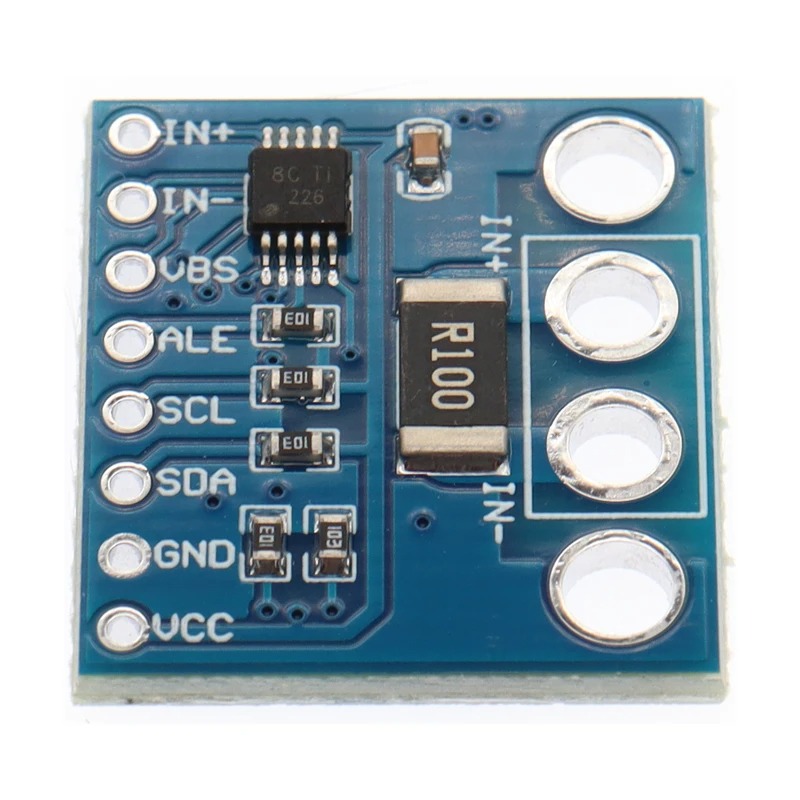
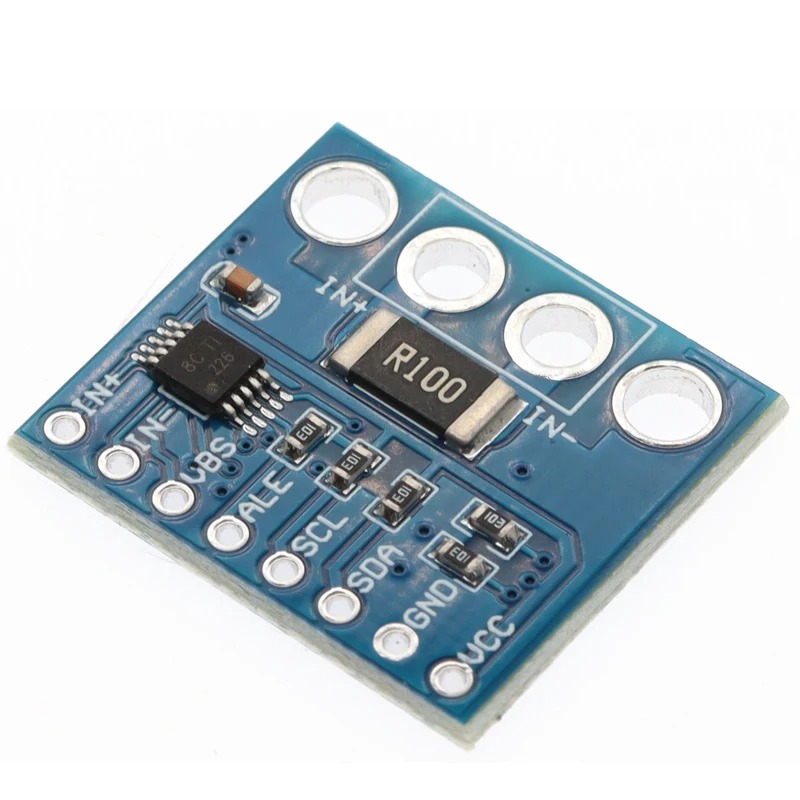
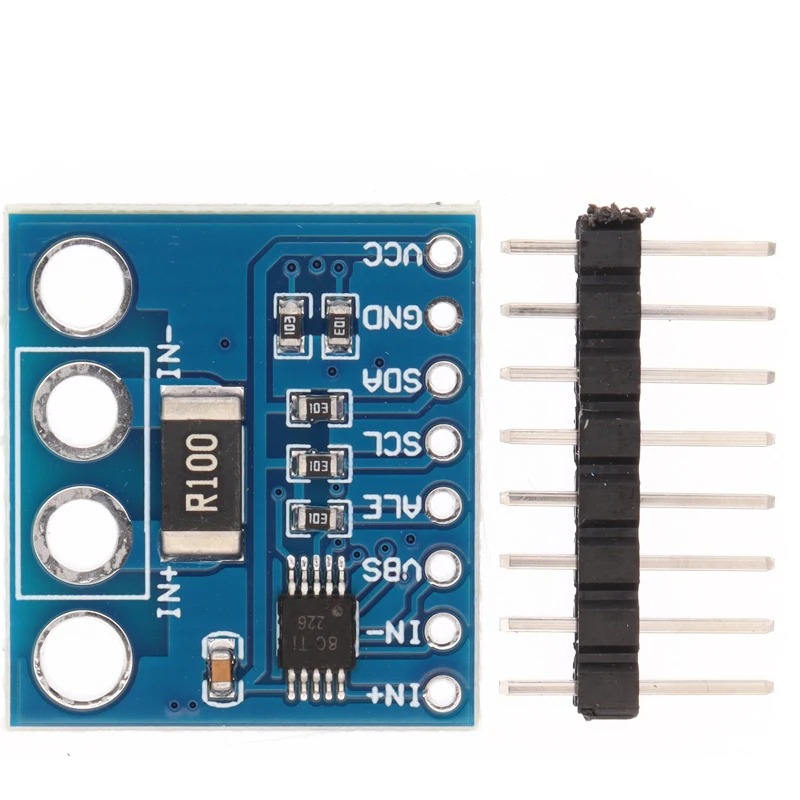
The INA226 Bi-Directional Current/Power Monitoring Sensor Module (CJMCU-226) is an I2C-interfaced sensor that measures bus voltage, current, and power draw in a circuit, supporting both high-side and low-side current sensing configurations.
It operates from 2.7V to 5.5V and measures bus voltages up to 36V, with 16-bit resolution for precise current and voltage readings. Because it’s bi-directional, it can measure current flow in either direction, useful for monitoring charge/discharge cycles in battery systems.
The module includes programmable alert thresholds for over-current, under-voltage, over-voltage, and power limits, allowing a connected microcontroller to react automatically when readings exceed set boundaries.
Features:
I2C interface for easy microcontroller integration
Bi-directional current sensing (high-side or low-side)
16-bit resolution for precise measurements
Bus voltage measurement range: 0V–36V
Operating voltage: 2.7V–5.5V
Programmable alerts for over-current, under/over-voltage, and power thresholds
Compatible with Arduino and other microcontrollers
Pin Connections Table 1
Board Sensor Pin Connection INA226 VCC/GND/SDA/SCL 3.3-5V / GND / board SDA / board SCL
INA226 Bi-Directional Current/Power Monitoring Sensor Module For Arduino (CJMCU-226) I2C Interface - Arduino Uno
INA226 Bi-Directional Current/Power Monitoring Sensor Module For Arduino (CJMCU-226) I2C Interface - Arduino Nano
INA226 Bi-Directional Current/Power Monitoring Sensor Module For Arduino (CJMCU-226) I2C Interface - Arduino Mega
INA226 Bi-Directional Current/Power Monitoring Sensor Module For Arduino (CJMCU-226) I2C Interface - ESP32
INA226 Bi-Directional Current/Power Monitoring Sensor Module For Arduino (CJMCU-226) I2C Interface - ESP8266
INA226 Bi-Directional Current/Power Monitoring Sensor Module For Arduino (CJMCU-226) I2C Interface - STM32
INA226 Bi-Directional Current/Power Monitoring Sensor Module For Arduino (CJMCU-226) I2C Interface - Raspberry Pi Pico
1 //ekostra.com
2 //electronics store in egypt
3 //+201008896258
4
5 // I2C wiring for Arduino Uno: A4=SDA, A5=SCL
6 #include <Wire.h>
7 #include <INA226.h>
8
9 INA226 ina226(0x40);
10
11 void setup () {
12 Serial.begin (115200 );
13 Wire.begin();
14 ina226.begin();
15 ina226.setMaxCurrentShunt(1.0 , 0.1 ); // adjust to your expected max current + shunt resistance
16 }
17
18 void loop () {
19 Serial.print ("Bus: "); Serial.print (ina226.getBusVoltage()); Serial.print (" V ");
20 Serial.print ("Current: "); Serial.print (ina226.getCurrent() * 1000 ); Serial.print (" mA ");
21 Serial.print ("Power: "); Serial.print (ina226.getPower() * 1000 ); Serial.println (" mW");
22
23 delay (500 );
24 }
1 //ekostra.com
2 //electronics store in egypt
3 //+201008896258
4
5 // I2C wiring for Arduino Nano: A4=SDA, A5=SCL
6 #include <Wire.h>
7 #include <INA226.h>
8
9 INA226 ina226(0x40);
10
11 void setup () {
12 Serial.begin (115200 );
13 Wire.begin();
14 ina226.begin();
15 ina226.setMaxCurrentShunt(1.0 , 0.1 ); // adjust to your expected max current + shunt resistance
16 }
17
18 void loop () {
19 Serial.print ("Bus: "); Serial.print (ina226.getBusVoltage()); Serial.print (" V ");
20 Serial.print ("Current: "); Serial.print (ina226.getCurrent() * 1000 ); Serial.print (" mA ");
21 Serial.print ("Power: "); Serial.print (ina226.getPower() * 1000 ); Serial.println (" mW");
22
23 delay (500 );
24 }
1 //ekostra.com
2 //electronics store in egypt
3 //+201008896258
4
5 // I2C wiring for Arduino Mega: D20=SDA, D21=SCL
6 #include <Wire.h>
7 #include <INA226.h>
8
9 INA226 ina226(0x40);
10
11 void setup () {
12 Serial.begin (115200 );
13 Wire.begin();
14 ina226.begin();
15 ina226.setMaxCurrentShunt(1.0 , 0.1 ); // adjust to your expected max current + shunt resistance
16 }
17
18 void loop () {
19 Serial.print ("Bus: "); Serial.print (ina226.getBusVoltage()); Serial.print (" V ");
20 Serial.print ("Current: "); Serial.print (ina226.getCurrent() * 1000 ); Serial.print (" mA ");
21 Serial.print ("Power: "); Serial.print (ina226.getPower() * 1000 ); Serial.println (" mW");
22
23 delay (500 );
24 }
1 //ekostra.com
2 //electronics store in egypt
3 //+201008896258
4
5 // I2C wiring for ESP32: GPIO21=SDA, GPIO22=SCL
6 #include <Wire.h>
7 #include <INA226.h>
8
9 INA226 ina226(0x40);
10
11 void setup () {
12 Serial.begin (115200 );
13 Wire.begin();
14 ina226.begin();
15 ina226.setMaxCurrentShunt(1.0 , 0.1 ); // adjust to your expected max current + shunt resistance
16 }
17
18 void loop () {
19 Serial.print ("Bus: "); Serial.print (ina226.getBusVoltage()); Serial.print (" V ");
20 Serial.print ("Current: "); Serial.print (ina226.getCurrent() * 1000 ); Serial.print (" mA ");
21 Serial.print ("Power: "); Serial.print (ina226.getPower() * 1000 ); Serial.println (" mW");
22
23 delay (500 );
24 }
1 //ekostra.com
2 //electronics store in egypt
3 //+201008896258
4
5 // I2C wiring for ESP8266: D2=SDA, D1=SCL
6 #include <Wire.h>
7 #include <INA226.h>
8
9 INA226 ina226(0x40);
10
11 void setup () {
12 Serial.begin (115200 );
13 Wire.begin();
14 ina226.begin();
15 ina226.setMaxCurrentShunt(1.0 , 0.1 ); // adjust to your expected max current + shunt resistance
16 }
17
18 void loop () {
19 Serial.print ("Bus: "); Serial.print (ina226.getBusVoltage()); Serial.print (" V ");
20 Serial.print ("Current: "); Serial.print (ina226.getCurrent() * 1000 ); Serial.print (" mA ");
21 Serial.print ("Power: "); Serial.print (ina226.getPower() * 1000 ); Serial.println (" mW");
22
23 delay (500 );
24 }
1 //ekostra.com
2 //electronics store in egypt
3 //+201008896258
4
5 // I2C wiring for STM32: PB7=SDA, PB6=SCL
6 #include <Wire.h>
7 #include <INA226.h>
8
9 INA226 ina226(0x40);
10
11 void setup () {
12 Serial.begin (115200 );
13 Wire.begin();
14 ina226.begin();
15 ina226.setMaxCurrentShunt(1.0 , 0.1 ); // adjust to your expected max current + shunt resistance
16 }
17
18 void loop () {
19 Serial.print ("Bus: "); Serial.print (ina226.getBusVoltage()); Serial.print (" V ");
20 Serial.print ("Current: "); Serial.print (ina226.getCurrent() * 1000 ); Serial.print (" mA ");
21 Serial.print ("Power: "); Serial.print (ina226.getPower() * 1000 ); Serial.println (" mW");
22
23 delay (500 );
24 }
1 //ekostra.com
2 //electronics store in egypt
3 //+201008896258
4
5 // I2C wiring for Raspberry Pi Pico: GPIO4=SDA, GPIO5=SCL
6 #include <Wire.h>
7 #include <INA226.h>
8
9 INA226 ina226(0x40);
10
11 void setup () {
12 Serial.begin (115200 );
13 Wire.begin();
14 ina226.begin();
15 ina226.setMaxCurrentShunt(1.0 , 0.1 ); // adjust to your expected max current + shunt resistance
16 }
17
18 void loop () {
19 Serial.print ("Bus: "); Serial.print (ina226.getBusVoltage()); Serial.print (" V ");
20 Serial.print ("Current: "); Serial.print (ina226.getCurrent() * 1000 ); Serial.print (" mA ");
21 Serial.print ("Power: "); Serial.print (ina226.getPower() * 1000 ); Serial.println (" mW");
22
23 delay (500 );
24 }
Project Notes: I2C current/power/voltage monitor with more precision than INA219.




 Specification


