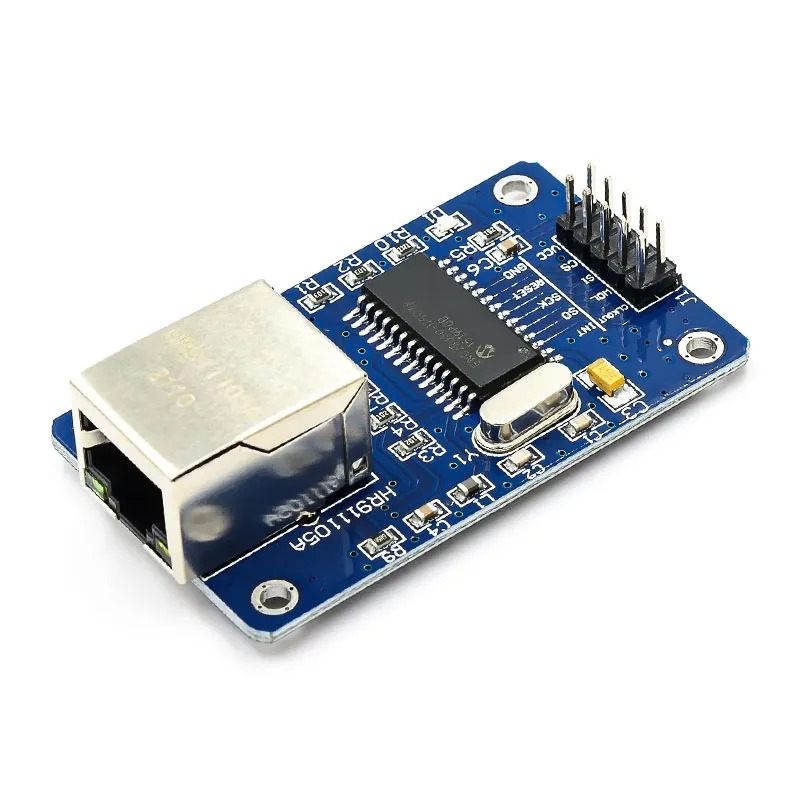
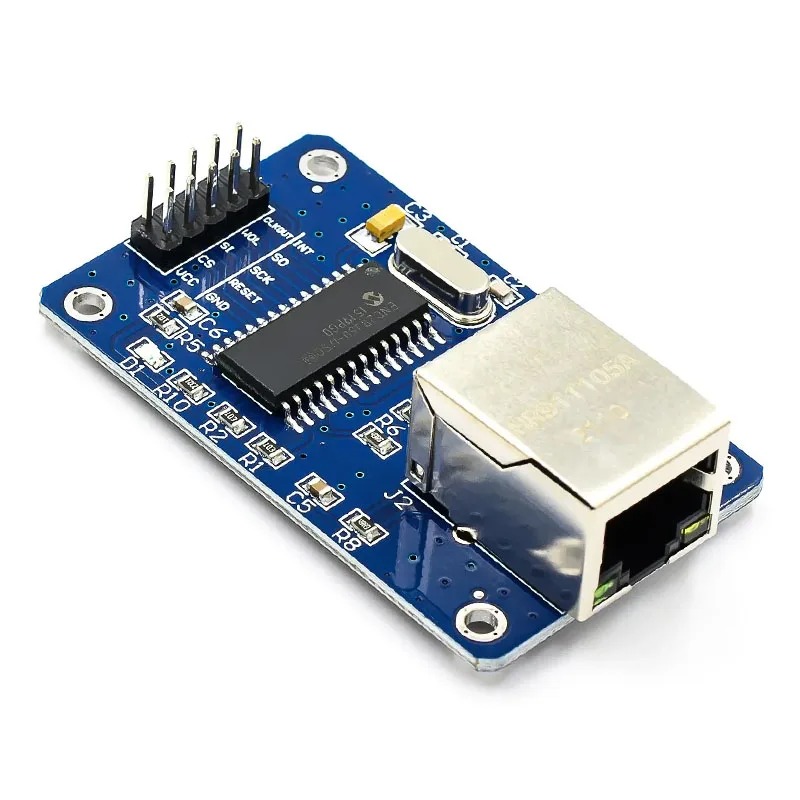
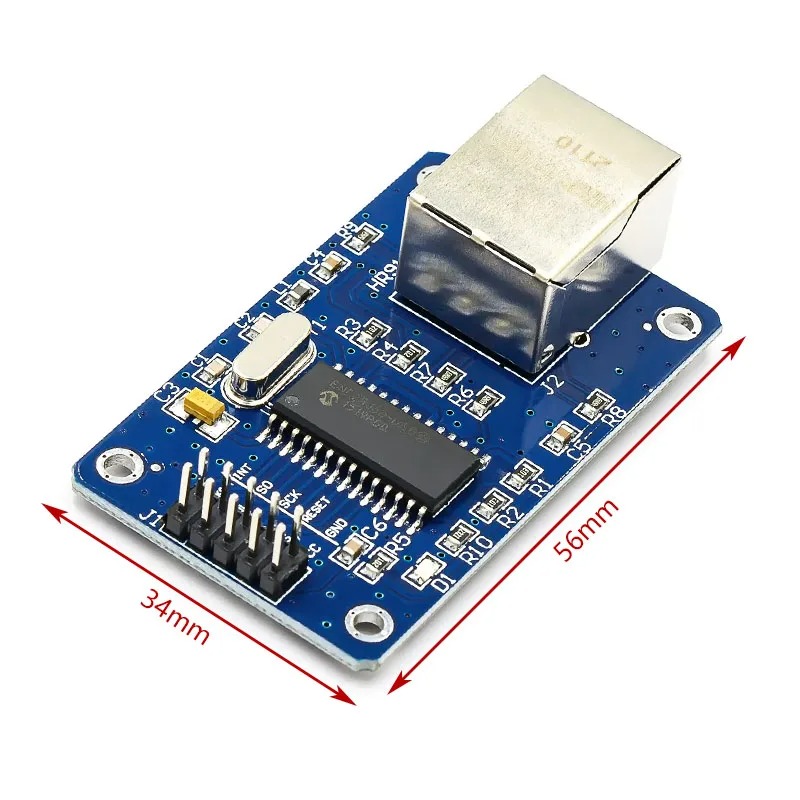
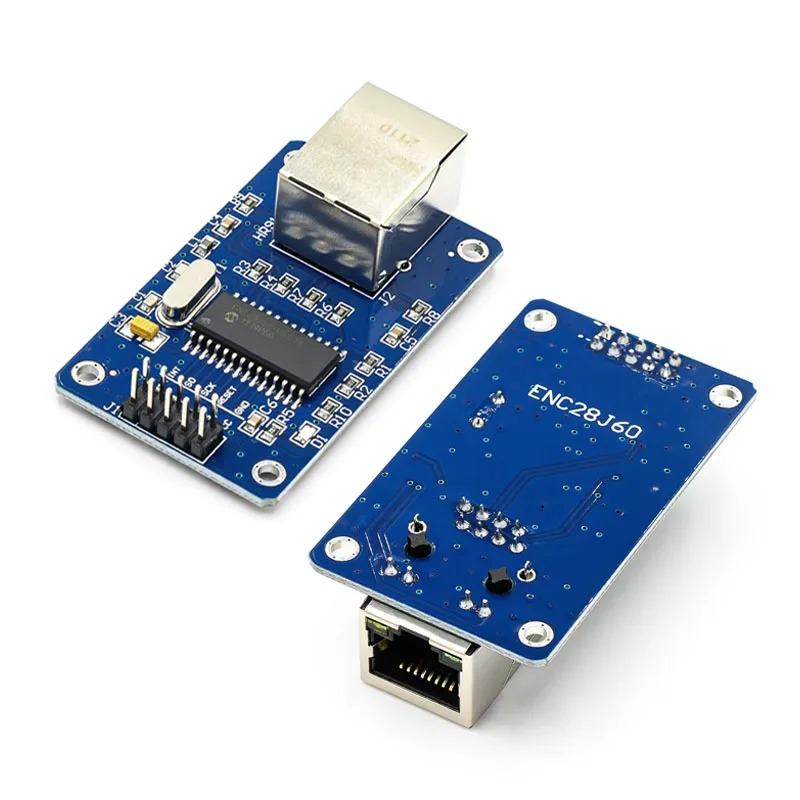
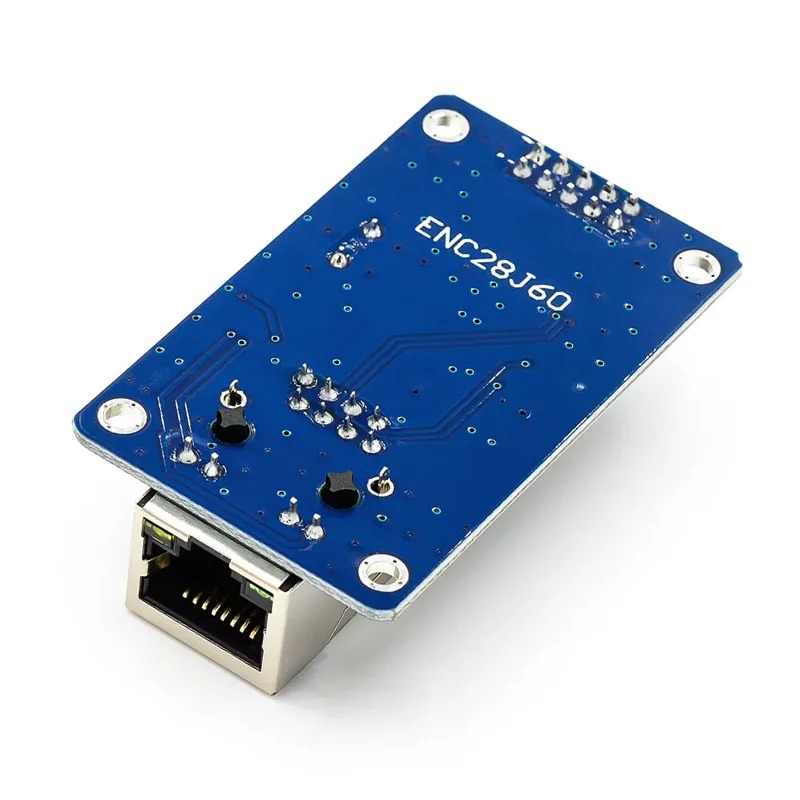
The Ethernet Module (ENC28J60) is a standalone Ethernet controller board built around Microchip’s ENC28J60 chip, giving Arduino and other microcontrollers wired network connectivity over a simple SPI interface.
It operates at 3.3V logic level and complies with the IEEE 802.3 standard for 10BASE-T Ethernet, connecting to the network through an integrated RJ45 jack with built-in magnetics, avoiding the need for external isolation components.
An onboard 8KB buffer memory, configurable for transmit and receive allocation, handles packet buffering, letting the module manage network traffic independently of the host microcontroller’s limited RAM.
Features:
ENC28J60 standalone Ethernet controller
SPI interface for microcontroller connection
3.3V logic level operation
IEEE 802.3 compliant, 10BASE-T
Integrated RJ45 connector with magnetics
8KB configurable transmit/receive buffer
Adds wired Ethernet to Arduino-class microcontrollers
Pin Connections Table 1
Board Sensor Pin Connection ENC28J60 VCC/GND/CS 3.3V only / GND / board digital pin
Ethernet Module (ENC28J60) For Arduino / Microcontroller - Arduino Uno
Ethernet Module (ENC28J60) For Arduino / Microcontroller - Arduino Nano
Ethernet Module (ENC28J60) For Arduino / Microcontroller - Arduino Mega
Ethernet Module (ENC28J60) For Arduino / Microcontroller - ESP32
Ethernet Module (ENC28J60) For Arduino / Microcontroller - ESP8266
Ethernet Module (ENC28J60) For Arduino / Microcontroller - STM32
Ethernet Module (ENC28J60) For Arduino / Microcontroller - Raspberry Pi Pico
1 //ekostra.com
2 //electronics store in egypt
3 //+201008896258
4
5 // CS=10 on Arduino Uno (MOSI/MISO/SCK use the board's hardware SPI pins)
6 #include <SPI.h>
7 #include <UIPEthernet.h>
8
9 byte mac[] = { 0xDE, 0xAD, 0xBE, 0xEF, 0xFE, 0xED };
10 EthernetServer server(80 );
11
12 void setup () {
13 Serial.begin (115200 );
14 Ethernet.begin(mac);
15 server.begin();
16 Serial.print ("IP: "); Serial.println (Ethernet.localIP());
17 }
18
19 void loop () {
20 EthernetClient client = server.available();
21 if (client) {
22 client.println("HTTP/1.1 200 OK");
23 client.println("Content-Type: text/plain");
24 client.println();
25 client.println("Hello from Ekostra!");
26 client.stop();
27 }
28 }
1 //ekostra.com
2 //electronics store in egypt
3 //+201008896258
4
5 // CS=10 on Arduino Nano (MOSI/MISO/SCK use the board's hardware SPI pins)
6 #include <SPI.h>
7 #include <UIPEthernet.h>
8
9 byte mac[] = { 0xDE, 0xAD, 0xBE, 0xEF, 0xFE, 0xED };
10 EthernetServer server(80 );
11
12 void setup () {
13 Serial.begin (115200 );
14 Ethernet.begin(mac);
15 server.begin();
16 Serial.print ("IP: "); Serial.println (Ethernet.localIP());
17 }
18
19 void loop () {
20 EthernetClient client = server.available();
21 if (client) {
22 client.println("HTTP/1.1 200 OK");
23 client.println("Content-Type: text/plain");
24 client.println();
25 client.println("Hello from Ekostra!");
26 client.stop();
27 }
28 }
1 //ekostra.com
2 //electronics store in egypt
3 //+201008896258
4
5 // CS=53 on Arduino Mega (MOSI/MISO/SCK use the board's hardware SPI pins)
6 #include <SPI.h>
7 #include <UIPEthernet.h>
8
9 byte mac[] = { 0xDE, 0xAD, 0xBE, 0xEF, 0xFE, 0xED };
10 EthernetServer server(80 );
11
12 void setup () {
13 Serial.begin (115200 );
14 Ethernet.begin(mac);
15 server.begin();
16 Serial.print ("IP: "); Serial.println (Ethernet.localIP());
17 }
18
19 void loop () {
20 EthernetClient client = server.available();
21 if (client) {
22 client.println("HTTP/1.1 200 OK");
23 client.println("Content-Type: text/plain");
24 client.println();
25 client.println("Hello from Ekostra!");
26 client.stop();
27 }
28 }
1 //ekostra.com
2 //electronics store in egypt
3 //+201008896258
4
5 // CS=5 on ESP32 (MOSI/MISO/SCK use the board's hardware SPI pins)
6 #include <SPI.h>
7 #include <UIPEthernet.h>
8
9 byte mac[] = { 0xDE, 0xAD, 0xBE, 0xEF, 0xFE, 0xED };
10 EthernetServer server(80 );
11
12 void setup () {
13 Serial.begin (115200 );
14 Ethernet.begin(mac);
15 server.begin();
16 Serial.print ("IP: "); Serial.println (Ethernet.localIP());
17 }
18
19 void loop () {
20 EthernetClient client = server.available();
21 if (client) {
22 client.println("HTTP/1.1 200 OK");
23 client.println("Content-Type: text/plain");
24 client.println();
25 client.println("Hello from Ekostra!");
26 client.stop();
27 }
28 }
1 //ekostra.com
2 //electronics store in egypt
3 //+201008896258
4
5 // CS=D8 on ESP8266 (MOSI/MISO/SCK use the board's hardware SPI pins)
6 #include <SPI.h>
7 #include <UIPEthernet.h>
8
9 byte mac[] = { 0xDE, 0xAD, 0xBE, 0xEF, 0xFE, 0xED };
10 EthernetServer server(80 );
11
12 void setup () {
13 Serial.begin (115200 );
14 Ethernet.begin(mac);
15 server.begin();
16 Serial.print ("IP: "); Serial.println (Ethernet.localIP());
17 }
18
19 void loop () {
20 EthernetClient client = server.available();
21 if (client) {
22 client.println("HTTP/1.1 200 OK");
23 client.println("Content-Type: text/plain");
24 client.println();
25 client.println("Hello from Ekostra!");
26 client.stop();
27 }
28 }
1 //ekostra.com
2 //electronics store in egypt
3 //+201008896258
4
5 // CS=PA4 on STM32 (MOSI/MISO/SCK use the board's hardware SPI pins)
6 #include <SPI.h>
7 #include <UIPEthernet.h>
8
9 byte mac[] = { 0xDE, 0xAD, 0xBE, 0xEF, 0xFE, 0xED };
10 EthernetServer server(80 );
11
12 void setup () {
13 Serial.begin (115200 );
14 Ethernet.begin(mac);
15 server.begin();
16 Serial.print ("IP: "); Serial.println (Ethernet.localIP());
17 }
18
19 void loop () {
20 EthernetClient client = server.available();
21 if (client) {
22 client.println("HTTP/1.1 200 OK");
23 client.println("Content-Type: text/plain");
24 client.println();
25 client.println("Hello from Ekostra!");
26 client.stop();
27 }
28 }
1 //ekostra.com
2 //electronics store in egypt
3 //+201008896258
4
5 // CS=17 on Raspberry Pi Pico (MOSI/MISO/SCK use the board's hardware SPI pins)
6 #include <SPI.h>
7 #include <UIPEthernet.h>
8
9 byte mac[] = { 0xDE, 0xAD, 0xBE, 0xEF, 0xFE, 0xED };
10 EthernetServer server(80 );
11
12 void setup () {
13 Serial.begin (115200 );
14 Ethernet.begin(mac);
15 server.begin();
16 Serial.print ("IP: "); Serial.println (Ethernet.localIP());
17 }
18
19 void loop () {
20 EthernetClient client = server.available();
21 if (client) {
22 client.println("HTTP/1.1 200 OK");
23 client.println("Content-Type: text/plain");
24 client.println();
25 client.println("Hello from Ekostra!");
26 client.stop();
27 }
28 }
Project Notes: SPI Ethernet controller - wired internet connectivity.




 Specification


