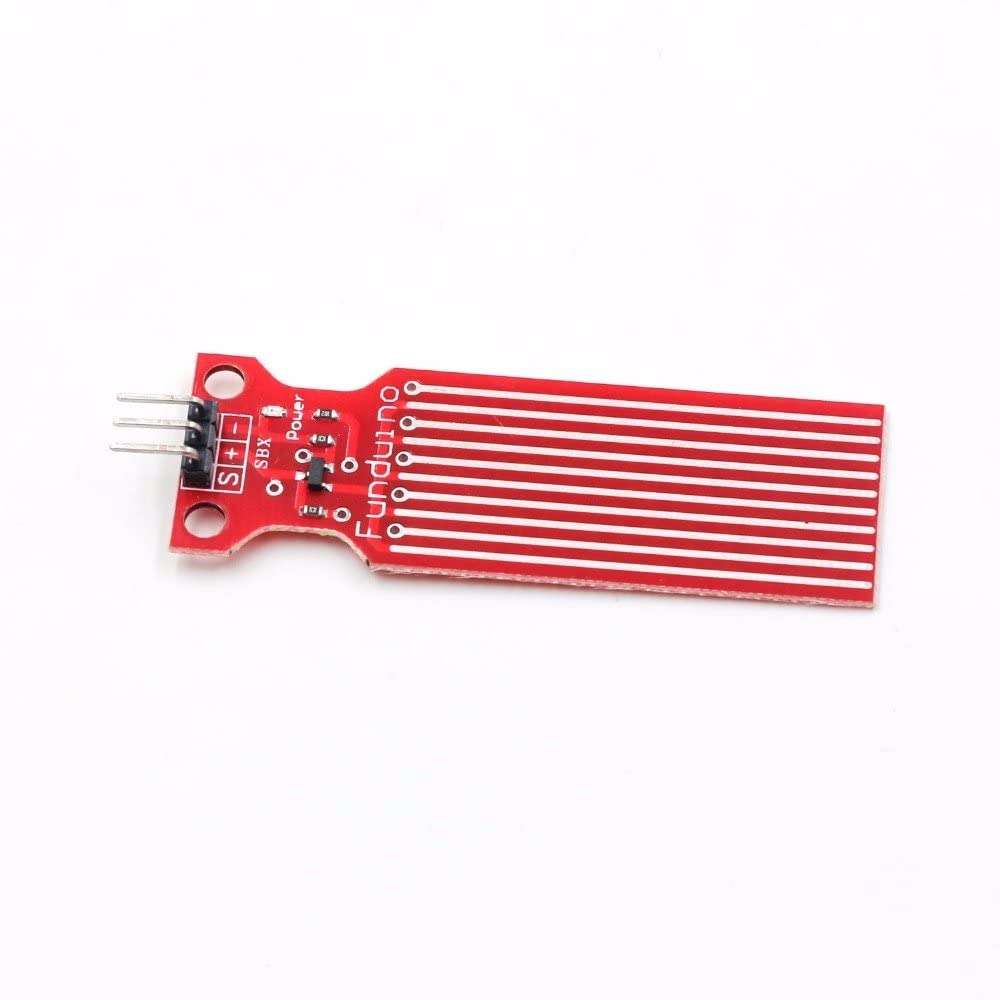
The Water Level Depth Detection Sensor for Arduino has Operating voltage DC3-5V and Operating current less than 20mA. The Sensor is the Analog type which produces analog output signals according to the water pressure with its Detection Area of 40x16mm.
The Water Level Sensor is an easy-to-use and cost-effective with high level/drop recognition sensor by having a series of parallel wires exposed traces measure droplets/water volume in order to determine the water level.
Easy to complete water to analog signal conversion and output analog values can be directly read Arduino development board to achieve the level alarm effect.
Package Includes : 1 x Water Level Sensor Depth of Detection Water Sensor for Arduino
Pin Connections Table 1
Board Sensor Pin Connection Water Level Sensor VCC/GND/SIG 3.3-5V / GND / board analog pin
Water Level Depth Detection Sensor for Arduino - Arduino Uno
Water Level Depth Detection Sensor for Arduino - Arduino Nano
Water Level Depth Detection Sensor for Arduino - Arduino Mega
Water Level Depth Detection Sensor for Arduino - ESP32
Water Level Depth Detection Sensor for Arduino - ESP8266
Water Level Depth Detection Sensor for Arduino - STM32
Water Level Depth Detection Sensor for Arduino - Raspberry Pi Pico
1 //ekostra.com
2 //electronics store in egypt
3 //+201008896258
4
5 // Analog pin A0 on Arduino Uno. Traces on the sensor board act as a variable resistor - more submersion = lower resistance = higher reading.
6 #define WATER_PIN A0
7
8 void setup () {
9 Serial.begin (115200 );
10 }
11
12 void loop () {
13 int raw = analogRead(WATER_PIN);
14 float voltage = raw * 5.0 / 1023.0 ;
15
16 Serial.print ("Water level raw: "); Serial.print (raw);
17 Serial.print (" Voltage: "); Serial.println (voltage);
18
19 delay (500 );
20 }
1 //ekostra.com
2 //electronics store in egypt
3 //+201008896258
4
5 // Analog pin A0 on Arduino Nano. Traces on the sensor board act as a variable resistor - more submersion = lower resistance = higher reading.
6 #define WATER_PIN A0
7
8 void setup () {
9 Serial.begin (115200 );
10 }
11
12 void loop () {
13 int raw = analogRead(WATER_PIN);
14 float voltage = raw * 5.0 / 1023.0 ;
15
16 Serial.print ("Water level raw: "); Serial.print (raw);
17 Serial.print (" Voltage: "); Serial.println (voltage);
18
19 delay (500 );
20 }
1 //ekostra.com
2 //electronics store in egypt
3 //+201008896258
4
5 // Analog pin A0 on Arduino Mega. Traces on the sensor board act as a variable resistor - more submersion = lower resistance = higher reading.
6 #define WATER_PIN A0
7
8 void setup () {
9 Serial.begin (115200 );
10 }
11
12 void loop () {
13 int raw = analogRead(WATER_PIN);
14 float voltage = raw * 5.0 / 1023.0 ;
15
16 Serial.print ("Water level raw: "); Serial.print (raw);
17 Serial.print (" Voltage: "); Serial.println (voltage);
18
19 delay (500 );
20 }
1 //ekostra.com
2 //electronics store in egypt
3 //+201008896258
4
5 // Analog pin 34 on ESP32. Traces on the sensor board act as a variable resistor - more submersion = lower resistance = higher reading.
6 #define WATER_PIN 34
7
8 void setup () {
9 Serial.begin (115200 );
10 }
11
12 void loop () {
13 int raw = analogRead(WATER_PIN);
14 float voltage = raw * 3.3 / 4095.0 ;
15
16 Serial.print ("Water level raw: "); Serial.print (raw);
17 Serial.print (" Voltage: "); Serial.println (voltage);
18
19 delay (500 );
20 }
1 //ekostra.com
2 //electronics store in egypt
3 //+201008896258
4
5 // Analog pin A0 on ESP8266. Traces on the sensor board act as a variable resistor - more submersion = lower resistance = higher reading.
6 #define WATER_PIN A0
7
8 void setup () {
9 Serial.begin (115200 );
10 }
11
12 void loop () {
13 int raw = analogRead(WATER_PIN);
14 float voltage = raw * 3.3 / 1023.0 ;
15
16 Serial.print ("Water level raw: "); Serial.print (raw);
17 Serial.print (" Voltage: "); Serial.println (voltage);
18
19 delay (500 );
20 }
1 //ekostra.com
2 //electronics store in egypt
3 //+201008896258
4
5 // Analog pin PA0 on STM32. Traces on the sensor board act as a variable resistor - more submersion = lower resistance = higher reading.
6 #define WATER_PIN PA0
7
8 void setup () {
9 Serial.begin (115200 );
10 }
11
12 void loop () {
13 int raw = analogRead(WATER_PIN);
14 float voltage = raw * 3.3 / 4095.0 ;
15
16 Serial.print ("Water level raw: "); Serial.print (raw);
17 Serial.print (" Voltage: "); Serial.println (voltage);
18
19 delay (500 );
20 }
1 //ekostra.com
2 //electronics store in egypt
3 //+201008896258
4
5 // Analog pin 26 on Raspberry Pi Pico. Traces on the sensor board act as a variable resistor - more submersion = lower resistance = higher reading.
6 #define WATER_PIN 26
7
8 void setup () {
9 Serial.begin (115200 );
10 }
11
12 void loop () {
13 int raw = analogRead(WATER_PIN);
14 float voltage = raw * 3.3 / 4095.0 ;
15
16 Serial.print ("Water level raw: "); Serial.print (raw);
17 Serial.print (" Voltage: "); Serial.println (voltage);
18
19 delay (500 );
20 }
Project Notes: Analog resistive water-level strip.




 Specification


