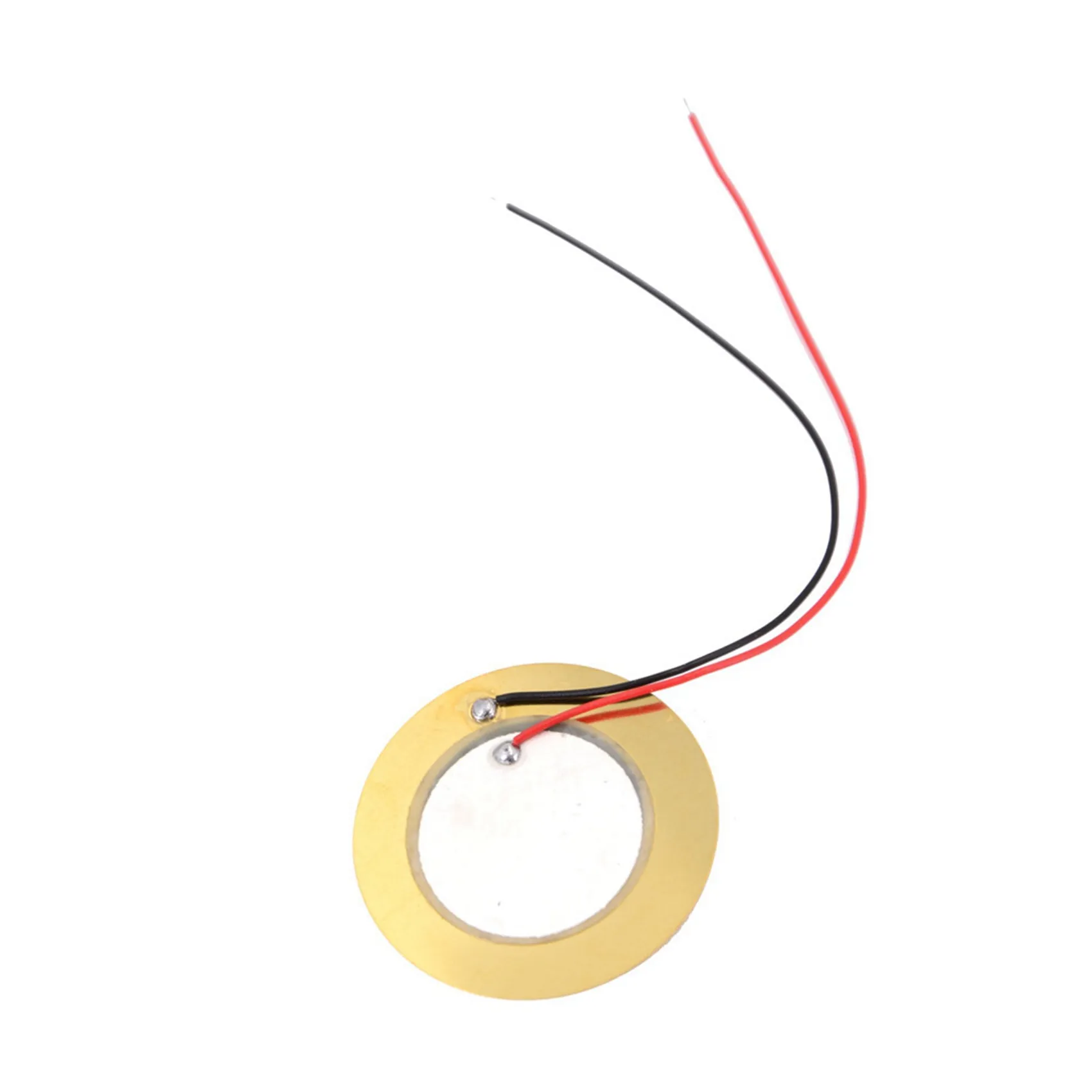
Discover the Piezo Sensor Gold – a high-sensitivity, durable sensor ideal for vibration detection, impact sensing, and precision measurements. Shop now for reliable performance!
📄 File: piezo_sensor-gold_-_arduino_uno.inoArduino Uno
373 characters
1//ekostra.com
2//electronics store in egypt
3//+201008896258
4
5// Signal pin 9 on Arduino Uno (piezo elements double as both simple buzzers AND vibration/knock sensors depending on how you wire them - this shows the buzzer/tone use)
5// Signal pin 9 on Arduino Nano (piezo elements double as both simple buzzers AND vibration/knock sensors depending on how you wire them - this shows the buzzer/tone use)
6#define PIEZO_PIN 9
7
8voidsetup() {
9}
10
11voidloop() {
12 tone(PIEZO_PIN, 1000); // 1kHz tone
13delay(500);
14 noTone(PIEZO_PIN);
15delay(500);
16}
📄 File: piezo_sensor-gold_-_arduino_mega.inoArduino Mega
374 characters
1//ekostra.com
2//electronics store in egypt
3//+201008896258
4
5// Signal pin 9 on Arduino Mega (piezo elements double as both simple buzzers AND vibration/knock sensors depending on how you wire them - this shows the buzzer/tone use)
6#define PIEZO_PIN 9
7
8voidsetup() {
9}
10
11voidloop() {
12 tone(PIEZO_PIN, 1000); // 1kHz tone
13delay(500);
14 noTone(PIEZO_PIN);
15delay(500);
16}
📄 File: piezo_sensor-gold_-_esp32.inoESP32
369 characters
1//ekostra.com
2//electronics store in egypt
3//+201008896258
4
5// Signal pin 25 on ESP32 (piezo elements double as both simple buzzers AND vibration/knock sensors depending on how you wire them - this shows the buzzer/tone use)
6#define PIEZO_PIN 25
7
8voidsetup() {
9}
10
11voidloop() {
12 tone(PIEZO_PIN, 1000); // 1kHz tone
13delay(500);
14 noTone(PIEZO_PIN);
15delay(500);
16}
📄 File: piezo_sensor-gold_-_esp8266.inoESP8266
371 characters
1//ekostra.com
2//electronics store in egypt
3//+201008896258
4
5// Signal pin D1 on ESP8266 (piezo elements double as both simple buzzers AND vibration/knock sensors depending on how you wire them - this shows the buzzer/tone use)
6#define PIEZO_PIN D1
7
8voidsetup() {
9}
10
11voidloop() {
12 tone(PIEZO_PIN, 1000); // 1kHz tone
13delay(500);
14 noTone(PIEZO_PIN);
15delay(500);
16}
📄 File: piezo_sensor-gold_-_stm32.inoSTM32
371 characters
1//ekostra.com
2//electronics store in egypt
3//+201008896258
4
5// Signal pin PA8 on STM32 (piezo elements double as both simple buzzers AND vibration/knock sensors depending on how you wire them - this shows the buzzer/tone use)
6#define PIEZO_PIN PA8
7
8voidsetup() {
9}
10
11voidloop() {
12 tone(PIEZO_PIN, 1000); // 1kHz tone
13delay(500);
14 noTone(PIEZO_PIN);
15delay(500);
16}
📄 File: piezo_sensor-gold_-_raspberry_pi_pico.inoRaspberry Pi Pico
381 characters
1//ekostra.com
2//electronics store in egypt
3//+201008896258
4
5// Signal pin 15 on Raspberry Pi Pico (piezo elements double as both simple buzzers AND vibration/knock sensors depending on how you wire them - this shows the buzzer/tone use)
6#define PIEZO_PIN 15
7
8voidsetup() {
9}
10
11voidloop() {
12 tone(PIEZO_PIN, 1000); // 1kHz tone
13delay(500);
14 noTone(PIEZO_PIN);
15delay(500);
16}
Piezo disc - doubles as a simple buzzer (drive it) or a vibration/knock sensor (read it as analog). This shows the buzzer/tone use; wire it to an analog pin instead for knock-sensing.




 Specification


