

DS18B20 Temperature Sensor

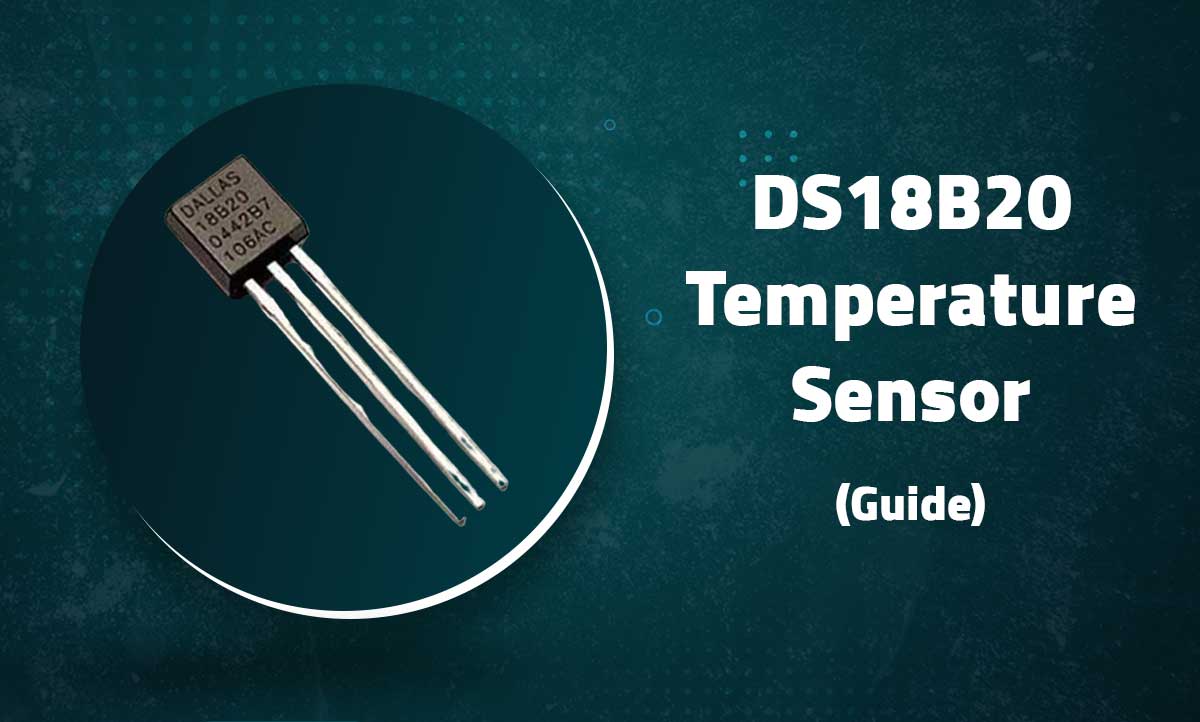
DS18B20 Digital Temperature Sensor
Precision 1-Wire Interface Temperature Measurement for Arduino and Microcontrollers
Introduction
The DS18B20 is a digital temperature sensor with ±0.5°C accuracy over the range of -10°C to +85°C. It uses the 1-Wire communication protocol, allowing multiple sensors to be connected on a single data line.
Key Features
High Accuracy
±0.5°C from -10°C to +85°C
Simple Wiring
1-Wire interface (single data line)
Multi-Drop
Multiple sensors on one bus
Parasitic Power
Can operate without external power
Technical Specifications
| Temperature Range | -55°C to +125°C |
|---|---|
| Accuracy | ±0.5°C (-10°C to +85°C) |
| Resolution | User-selectable 9-12 bits |
| Supply Voltage | 3.0V to 5.5V |
| Current Draw | 1mA (active), 750nA (standby) |
| Conversion Time | 750ms max (12-bit resolution) |
| Interface | 1-Wire |
| Package Options | TO-92, SOIC, µSOP |
Pin Configuration
| Pin | Description | Connection |
|---|---|---|
| 1 (GND) | Ground | GND |
| 2 (DQ) | Data I/O (1-Wire) | Digital Pin (with 4.7KΩ pull-up) |
| 3 (VDD) | Power Supply (optional) | 3.3V-5V (for powered mode) |
Note: The 4.7KΩ pull-up resistor between DQ and VDD is required for proper operation
Wiring Diagrams

Library Setup
- Install the OneWire and DallasTemperature libraries
- Include the required libraries:
#include <OneWire.h>
#include <DallasTemperature.h>
- Initialize the sensor:
#define ONE_WIRE_BUS 2 // Data wire connected to digital pin 2

OneWire oneWire(ONE_WIRE_BUS);
DallasTemperature sensors(&oneWire);

void setup() {
  Serial.begin(9600);
  sensors.begin();
}
Basic Temperature Reading
void loop() {
  sensors.requestTemperatures(); // Send command to all sensors
  float tempC = sensors.getTempCByIndex(0); // First sensor

  Serial.print("Temperature: ");
  Serial.print(tempC);
  Serial.println("°C");

  delay(1000);
}
Advanced Features
Multiple Sensors
void loop() {
  sensors.requestTemperatures(); // Send command to all sensors
  float tempC = sensors.getTempCByIndex(0); // First sensor

  Serial.print("Temperature: ");
  Serial.print(tempC);
  Serial.println("°C");

  delay(1000);
}
Resolution Control
void setHighResolution() {
  sensors.setResolution(12); // 9-12 bits (0.0625°C resolution)

  Serial.print("Resolution: ");
  Serial.println(sensors.getResolution());
}
Fahrenheit Conversion
float getTempF() {
  float tempC = sensors.getTempCByIndex(0);
  return DallasTemperature::toFahrenheit(tempC);
}
Troubleshooting
Sensor Not Detected
- Verify 4.7KΩ pull-up resistor is installed
- Check wiring connections (GND must be connected)
- Try different digital pin
Incorrect Readings (-127°C)
- Check sensor is properly wired
- Ensure adequate power supply
- Try shorter wires (especially in parasitic mode)
Unstable Values
- Add 0.1μF capacitor between VDD and GND
- Use proper pull-up resistor (4.7KΩ recommended)
- Implement software filtering