

E18-D80NK Adjustable Infrared Sensor Switch 3-80cm

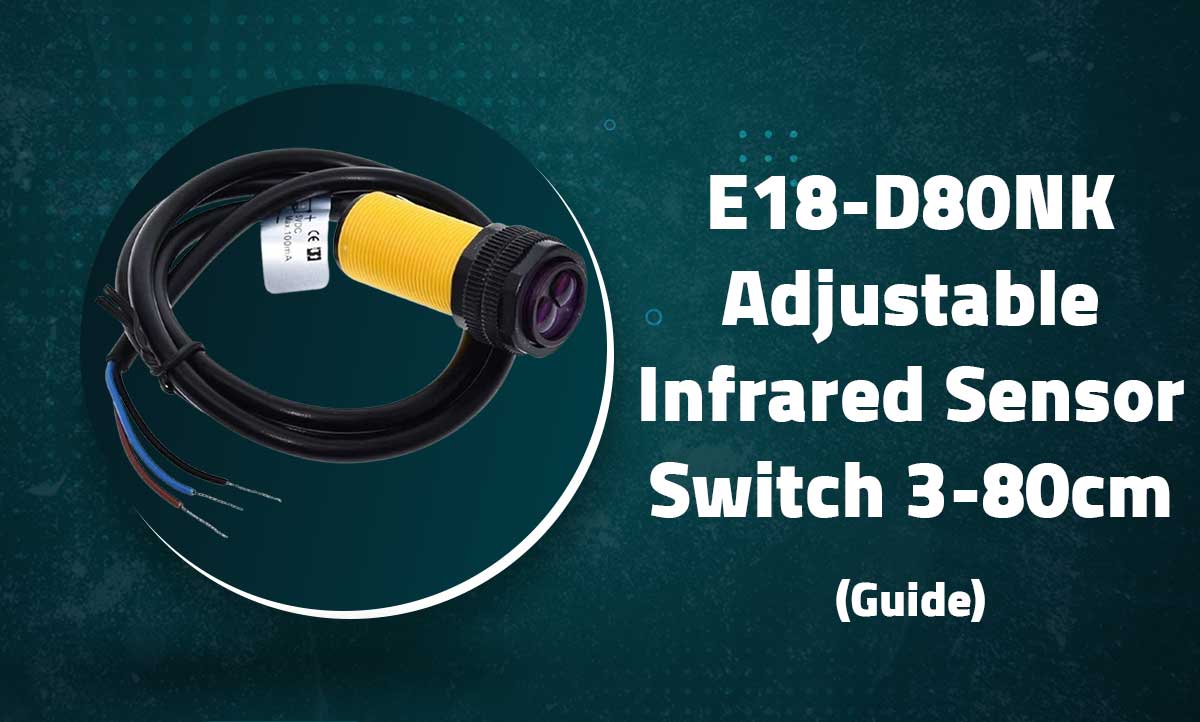
E18-D80NK Adjustable Infrared Sensor Switch
3-80cm Proximity Detection with Digital Output for Arduino and Robotics Projects
Introduction
The E18-D80NK is an adjustable infrared proximity sensor with reliable detection range from 3cm to 80cm. This photoelectric switch features a potentiometer for sensitivity adjustment and provides both analog and digital output signals.
Key Features
Adjustable Range
3cm to 80cm detection distance
Built-in Potentiometer
Onboard sensitivity adjustment
Dual Output
Digital (TTL) and analog signals
Environmental Resistance
IP67 waterproof rating
Technical Specifications
| Detection Range | 3cm – 80cm (adjustable) |
|---|---|
| Operating Voltage | 5V DC ±10% |
| Current Consumption | 25mA max |
| Output Type | Digital (TTL) + Analog |
| Response Time | 2ms |
| Protection Rating | IP67 (Dustproof/Waterproof) |
| Ambient Temperature | -25°C to +55°C |
| Cable Length | 45cm (standard) |
Pin Configuration
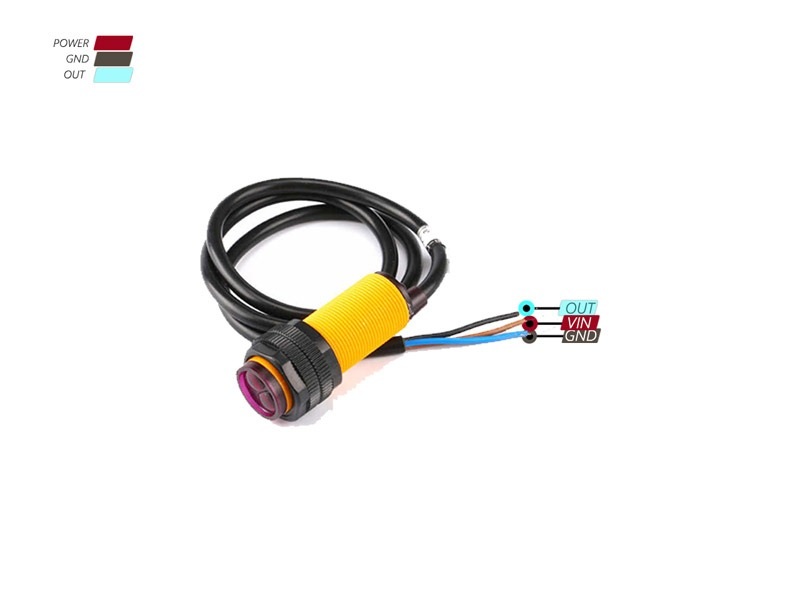
| Wire Color | Function | Arduino Connection |
|---|---|---|
| Brown | VCC (+5V) | 5V |
| Blue | GND | GND |
| Black | Digital Output | Digital Pin |
| White | Analog Output | Analog Pin (optional) |
Note: The white (analog) wire is optional and not present on all models
Wiring with Arduino
// Basic Digital Connection:
// Brown → 5V
// Blue  → GND
// Black → D2 (or any digital pin)

// Optional Analog Connection:
// White → A0 (for distance estimation)
Adjusting Detection Range
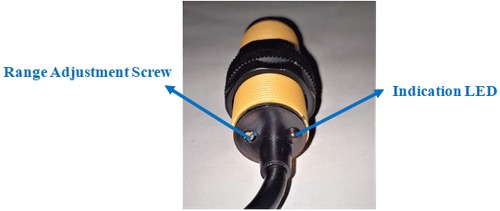
- Locate the blue potentiometer on the sensor body
- Place an object at your desired detection distance
- Slowly rotate the potentiometer clockwise to increase sensitivity (longer range)
- Rotate counter-clockwise to decrease sensitivity (shorter range)
- The onboard LED will turn off when an object is detected
Basic Digital Detection
const int sensorPin = 2; // Digital input pin

void setup() {
  Serial.begin(9600);
  pinMode(sensorPin, INPUT);
}

void loop() {
  int detection = digitalRead(sensorPin);

  if (detection == LOW) {
    Serial.println("Object detected!");
  } else {
    Serial.println("No object detected");
  }
  delay(100);
}
Analog Distance Estimation
const int analogPin = A0; // Only if white wire present

void setup() {
  Serial.begin(9600);
}

void loop() {
  int sensorValue = analogRead(analogPin);
  float voltage = sensorValue * (5.0 / 1023.0);

  // Approximate distance calculation (requires calibration)
  float distance = 80.0 * (1.0 - (voltage / 5.0));

  Serial.print("Analog Value: ");
  Serial.print(sensorValue);
  Serial.print("\tEstimated Distance: ");
  Serial.print(distance);
  Serial.println("cm");

  delay(200);
}
Note: Analog output varies between models. For precise measurements, calibrate with known distances.
Advanced Applications
Object Counting
int objectCount = 0;
bool lastState = HIGH;

void loop() {
  bool currentState = digitalRead(sensorPin);

  if (lastState == HIGH && currentState == LOW) {
    objectCount++;
    Serial.print("Objects passed: ");
    Serial.println(objectCount);
  }

  lastState = currentState;
}
Speed Measurement
long lastDetection = 0;
float objectSpeed = 0;

void loop() {
  if (digitalRead(sensorPin) == LOW) {
    long now = millis();
    if (lastDetection > 0) {
      objectSpeed = 1000.0 / (now - lastDetection); // Hz
      Serial.print("Frequency: ");
      Serial.print(objectSpeed);
      Serial.println("Hz");
    }
    lastDetection = now;
  }
}
Multi-Sensor Array
const int sensorPins[] = {2, 3, 4};
const int numSensors = 3;

void checkSensors() {
  for (int i=0; i<numSensors; i++) {
    if (digitalRead(sensorPins[i]) == LOW) {
      Serial.print("Sensor ");
      Serial.print(i);
      Serial.println(" triggered");
    }
  }
}
Troubleshooting
No Detection
- Verify power connections (5V required)
- Adjust potentiometer for proper sensitivity
- Check for obstructions on sensor lens
False Triggers
- Reduce sensitivity (turn potentiometer CCW)
- Move away from reflective surfaces
- Avoid direct sunlight interference
Inconsistent Readings
- Ensure stable power supply
- Check for loose wire connections
- Clean sensor lens with soft cloth